
Smart recommendations
The app scans your catalog for variants that are sold out and have sold well, and suggests a backup for each one. You approve every suggestion; nothing turns on by itself.
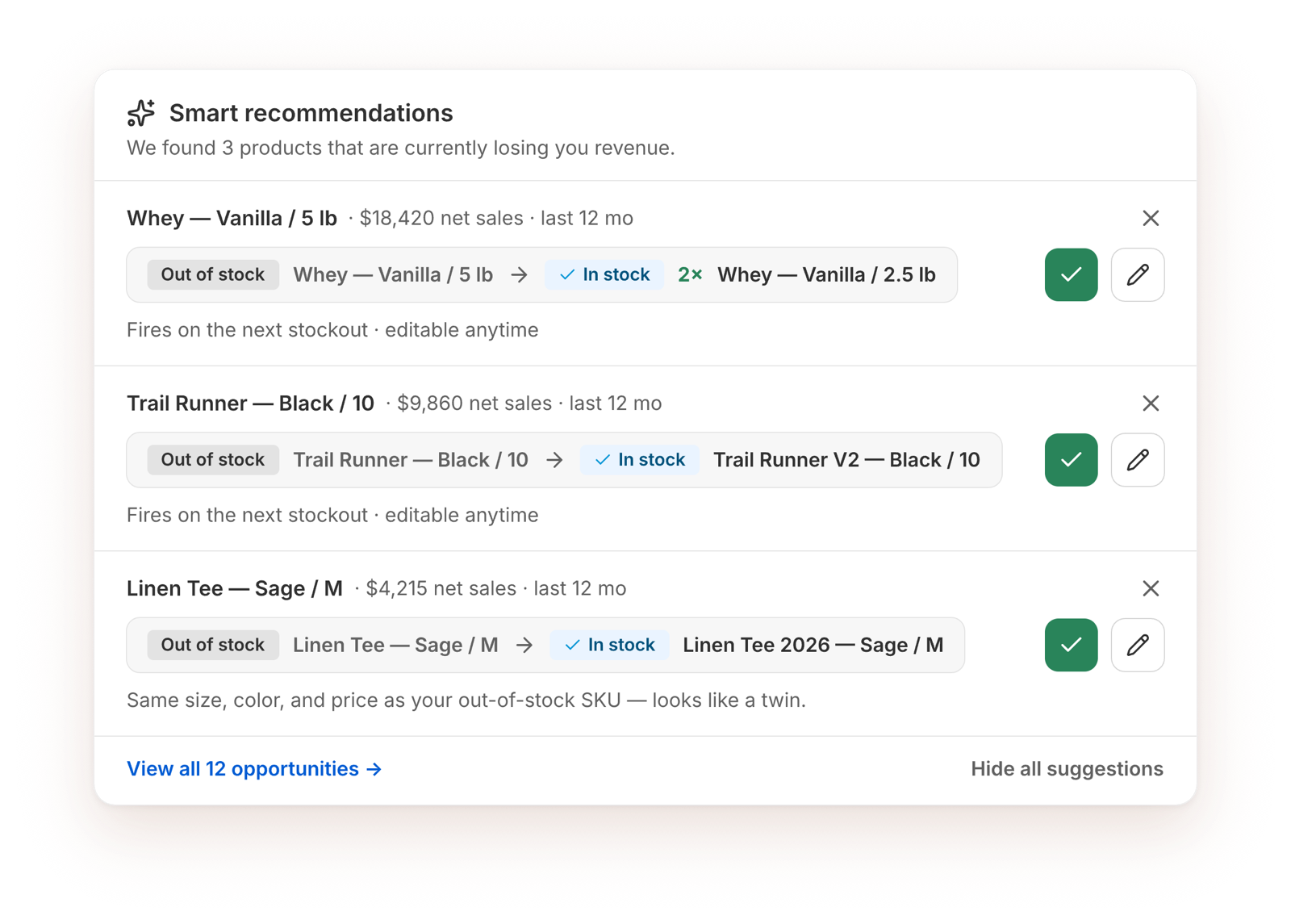
How backups are matched
The app looks for the same item in another form, for example:
- the same product from a new production run,
- the same item in another pack,
- smaller sizes that add up to the size that sold out.
Matching is AI-assisted and designed to skip poor matches. It can still be wrong, so check each suggestion before you turn it on: you know your products best.
What each recommendation shows
- The sold-out variant and the suggested backup, marked Out of stock and In stock.
- The sold-out variant's net sales over the last 12 months, so you can start with the ones that matter most.
Act on a recommendation
- The check mark (Enable substitution) creates a rule and turns it on. It fires on the next stockout, and you can edit it anytime.
- The pencil (Customize substitution) opens the rule so you can change the backup or add more before turning it on.
- The X (Dismiss recommendation) hides it. Hide all suggestions hides the whole list.
The card shows your top suggestions. Click View all opportunities to see the rest.
If there's nothing to suggest right now, the card shows "Scanning for more opportunities". New suggestions appear as your stock and sales change.