
Forced rules: substitute on every order
A forced rule swaps every order for a variant, whether it's in stock or not. Use it to sell through older stock first, or to move customers from one SKU to another.
Available on the Growth and Scale plans.
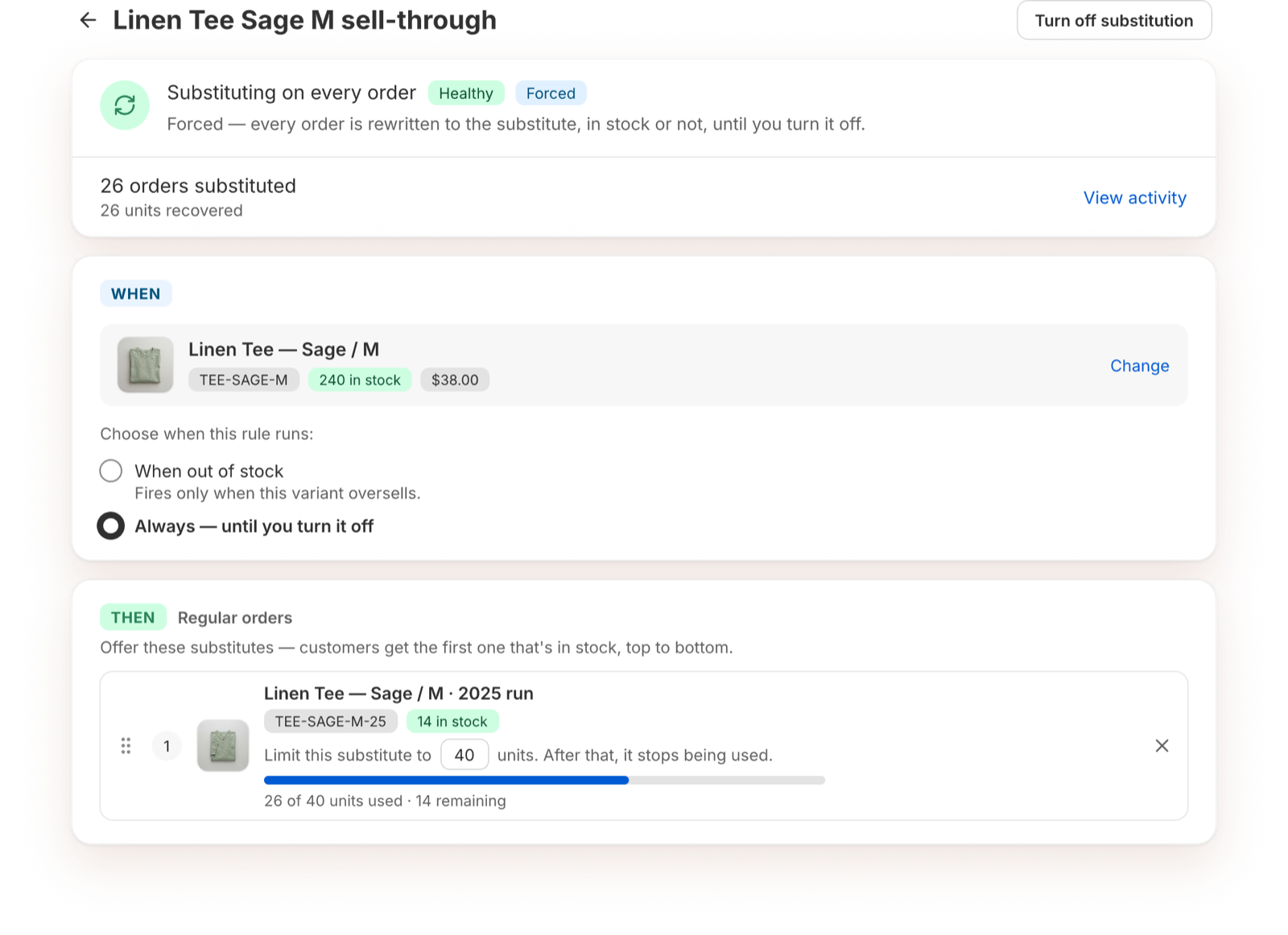
Turn it on
- Open the rule.
- Under When, choose Always — until you turn it off.
- Confirm "I understand this substitutes in-stock orders too."
- Click Turn on Always.
The rule then shows "Substituting on every order" and a reminder strip at the top.
Limit how many units a substitute ships
For a sell-through, you usually have a set amount of old stock. On each substitute, turn on the units limit: "Limit this substitute to [M] units. After that, it stops being used."
- The substitute shows how many units are used and how many remain.
- When a substitute reaches its limit, the next substitute takes over.
- When every substitute reaches its limit, the rule shows Stopped. Raise a limit or turn the rule off.
Good to know
- Each swapped order counts toward your plan's order limit.
- A forced rule doesn't change the variant's Continue selling setting.
- Turn it off with Turn off substitution when the campaign is over.