
Dashboard and rule statuses
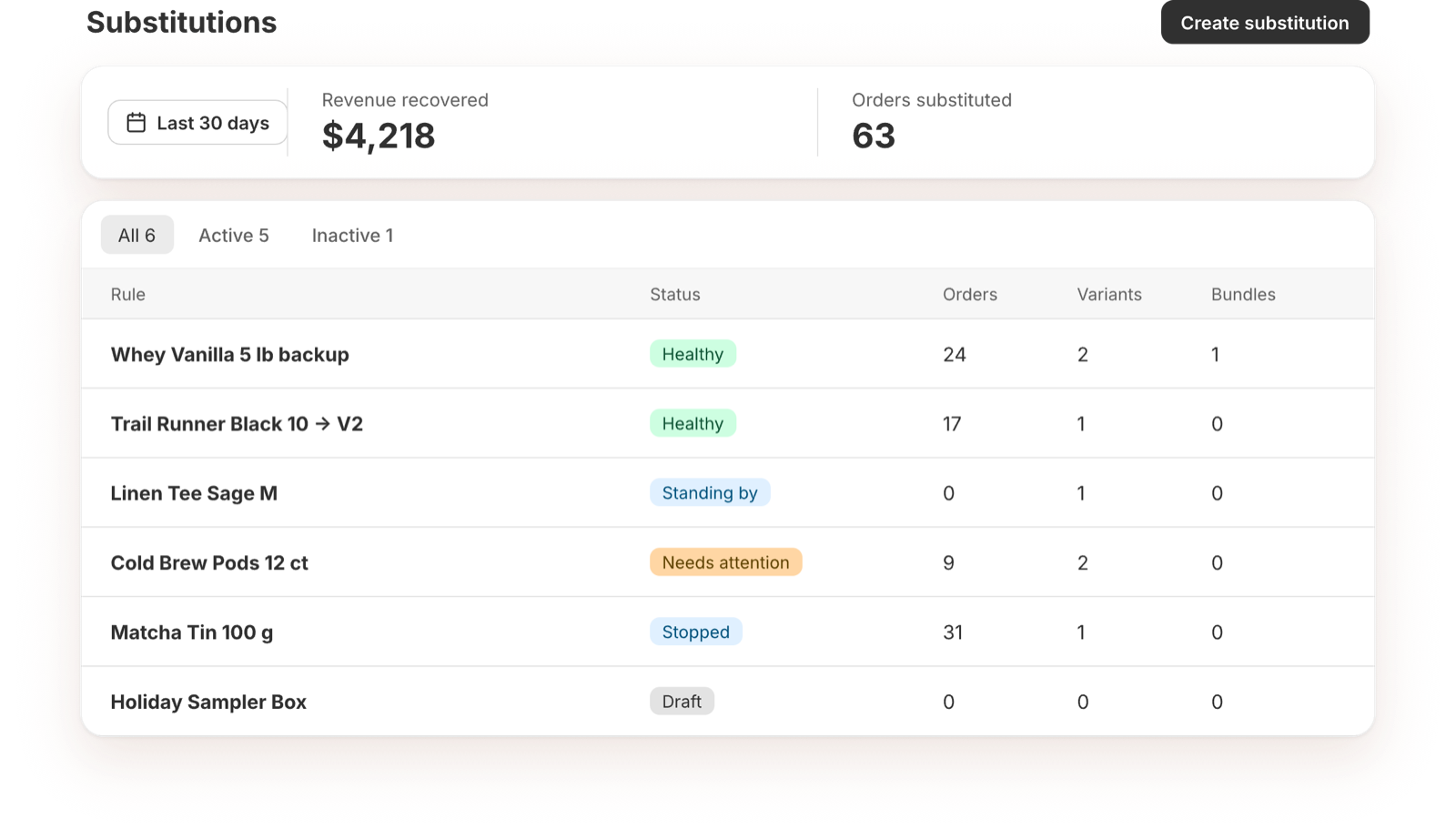
Stats
The top of the dashboard shows:
- Revenue recovered: sales from orders where a backup was swapped in.
- Orders substituted: how many orders had a swap.
Pick Today, Last 7 days or Last 30 days. Each number is compared with the period before it.
Zeros are normal until your first stockout.
Rule list
Every rule is listed with its status, how many orders it has swapped, and how many substitutes and bundle substitutes it has.
- Use the All, Active and Inactive tabs to filter.
- Click a rule to open it.
- Select rules to delete several at once.
Statuses
| Status | What it means | What to do |
|---|---|---|
| Draft | The rule doesn't have a sold-out variant or a substitute yet. | Finish setting it up and turn it on. |
| Standing by | The rule is on and the variant is still in stock. It kicks in the moment it sells out. | Nothing. |
| Healthy | The rule is swapping orders: the variant is sold out and a backup is in stock. Forced rules are Healthy while a substitute has units left. | Nothing. |
| Needs attention | The rule can't work. Either inventory tracking is off for the variant ("Can't detect stockouts"), or every substitute is out of stock too ("Can't substitute"). | Turn on inventory tracking, restock a substitute, or add another. |
| Stopped | A forced rule where every substitute has reached its units limit. | Raise a limit or turn the rule off. |
| Off | You turned the rule off. | Turn it on to resume. |