
Create a rule
A rule (a "substitution") says: when this variant sells out, ship this backup instead.
Steps
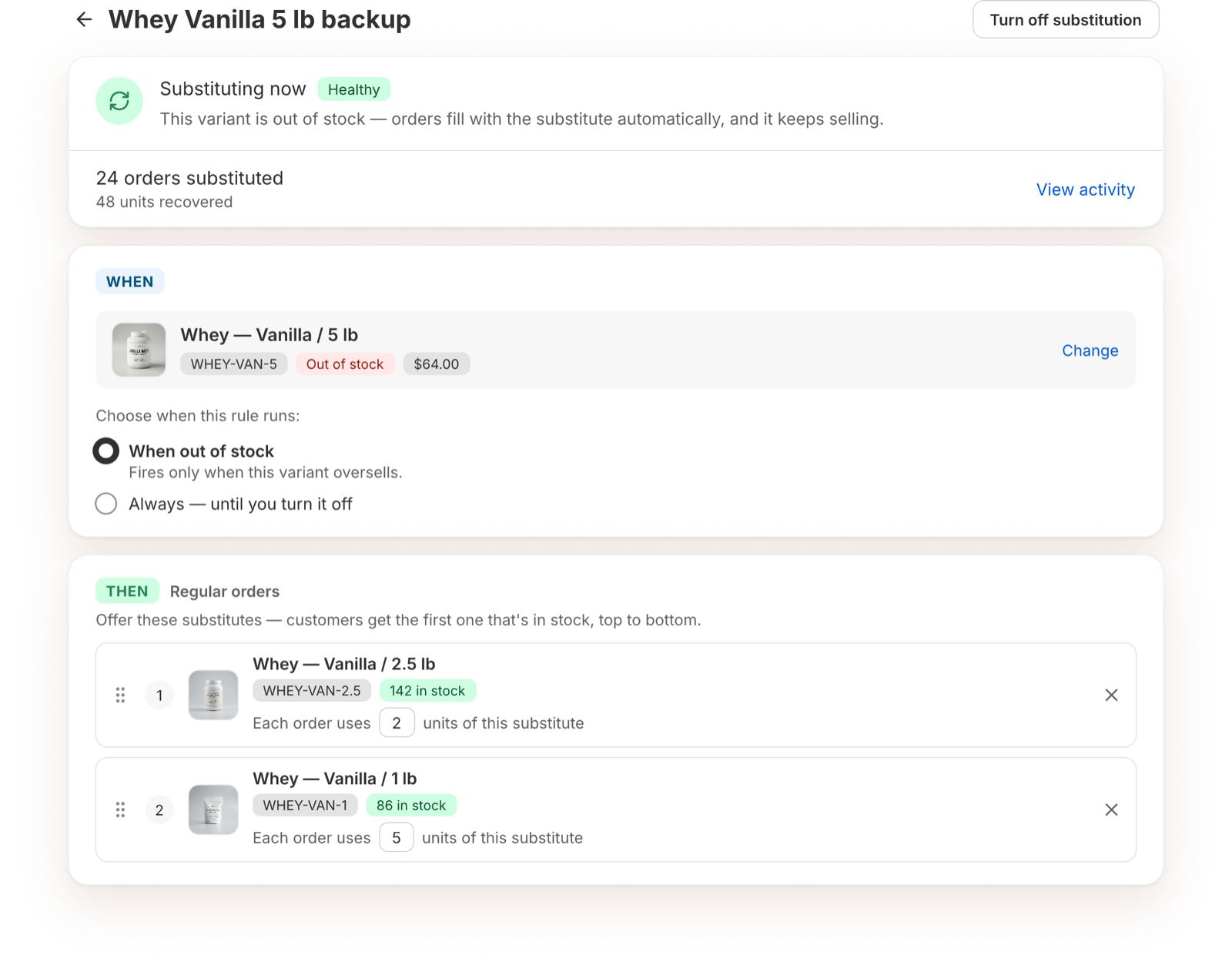
- On the dashboard, click Create substitution.
- Under Out-of-stock variant, search for and pick the variant that sells out. You can search by product name, variant name or Shopify ID.
- Under When, keep When out of stock. The rule "Fires only when this variant oversells."
- Under Regular orders, click Add a substitute and pick one or more backups.
- Drag the backups into the order you want. Customers get the first one that's in stock, top to bottom.
- Click Turn on substitution.
Changes save automatically. There's no Save button.
Click the rule name at the top to rename it.
What happens next
- While the variant is in stock, the rule shows Standing by.
- When it sells out and a backup is in stock, the rule shows Healthy and orders are swapped. See How substitutions work.
Pick good backups
Customers should barely notice the swap. Good backups are the same item from another production run or pack, or smaller sizes that add up. Avoid another flavor, color, size up, or edition. See Common questions.
Turn off or delete a rule
Open the rule and click Turn off substitution. To delete rules, select them on the dashboard and choose Delete substitutions.