
Activity history
See every order a rule has swapped.
Open it
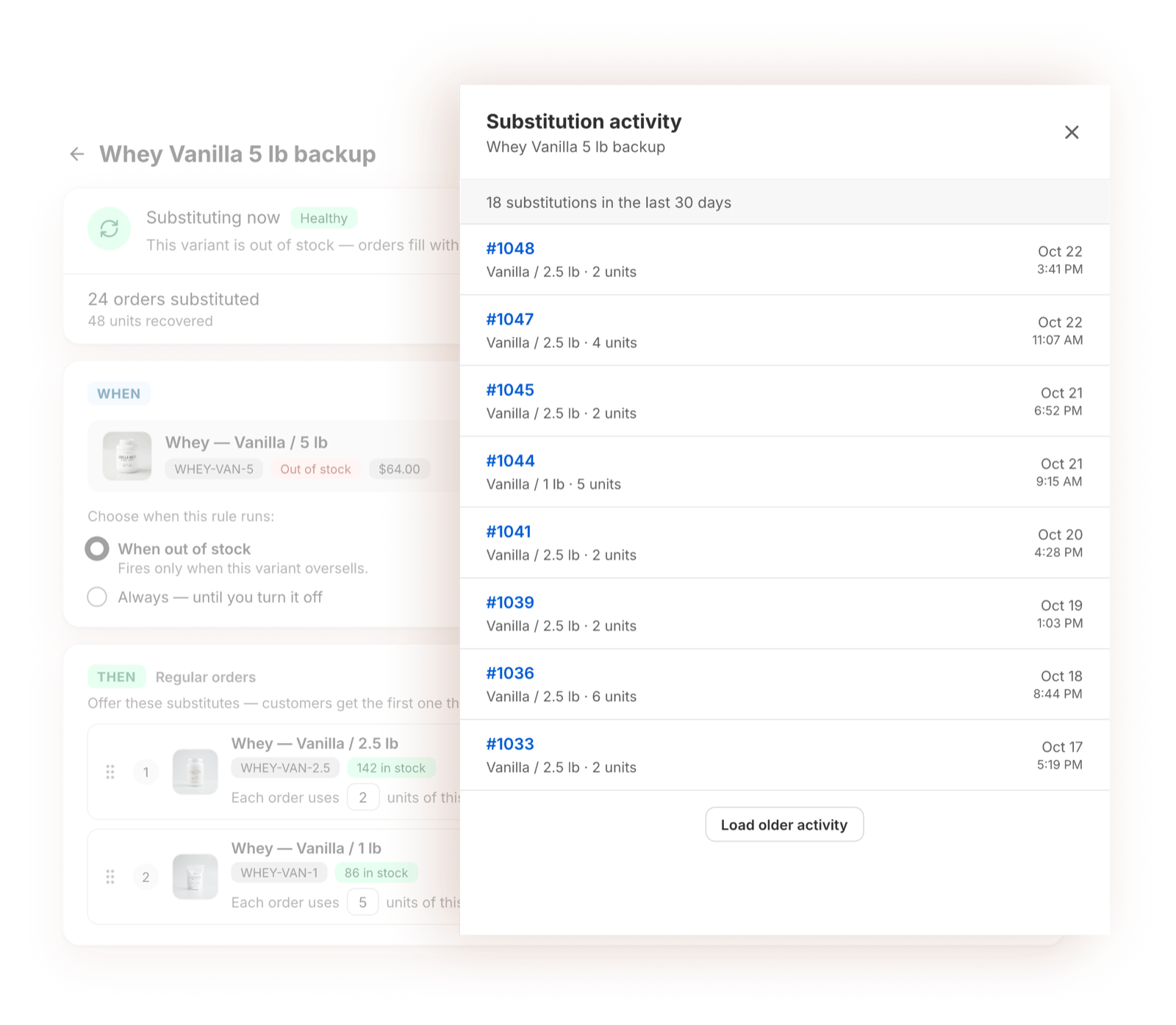
Open a rule and click View activity.
The top shows how many orders the rule swapped in the last 30 days. Below that, each swap is listed, newest first, with:
- the order number,
- the backup that shipped and how many units,
- the date and time.
Click Load older activity to see earlier swaps.
An entry appears only when a backup is actually swapped into an order, not when you create or edit the rule. A new rule shows "No substitutions yet — they'll appear here once this rule runs."
In Shopify
Every swapped order is also tagged Substitutions: success, so you can filter for them in your Shopify orders list.